Insights

Channel performance you can prove

Hustle TV Insights turns broadcast logs and syndication delivery into operator-grade reporting — airtime, reliability, YouTube when connected, and hours delivered to every destination you fan out to.

Studio Airtime · uptime · items
YouTube Views · watch hours
Syndication Partner hours delivered
Studio + destinations

One desk for channel health

Summary tiles show airtime, syndication hours, partner hours, and delivery reliability at a glance. Tabs dig into This studio, YouTube, and Syndication without leaving the page.

  • Broadcast-log airtime and uptime — no third-party wait
  • Items aired vs failures with a reliability bar
  • YouTube Analytics when OAuth is connected (last 28 days)
  • Per-destination hours with share bars for every RTMP target
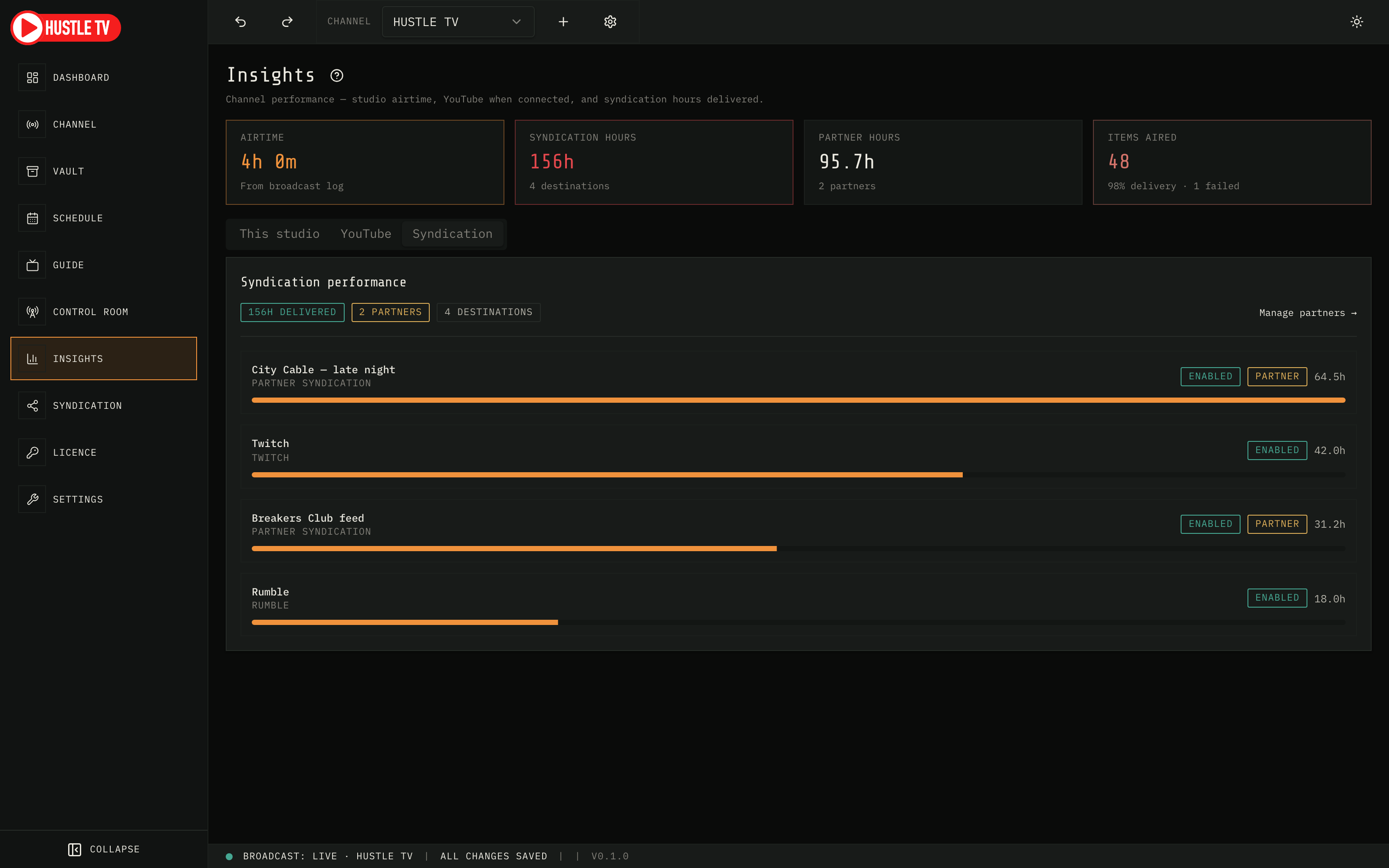
Hustle TV Insights: syndication performance with destination hours and partner badges
Hustle TV — Insights
Syndication performance

Hours that close partner deals

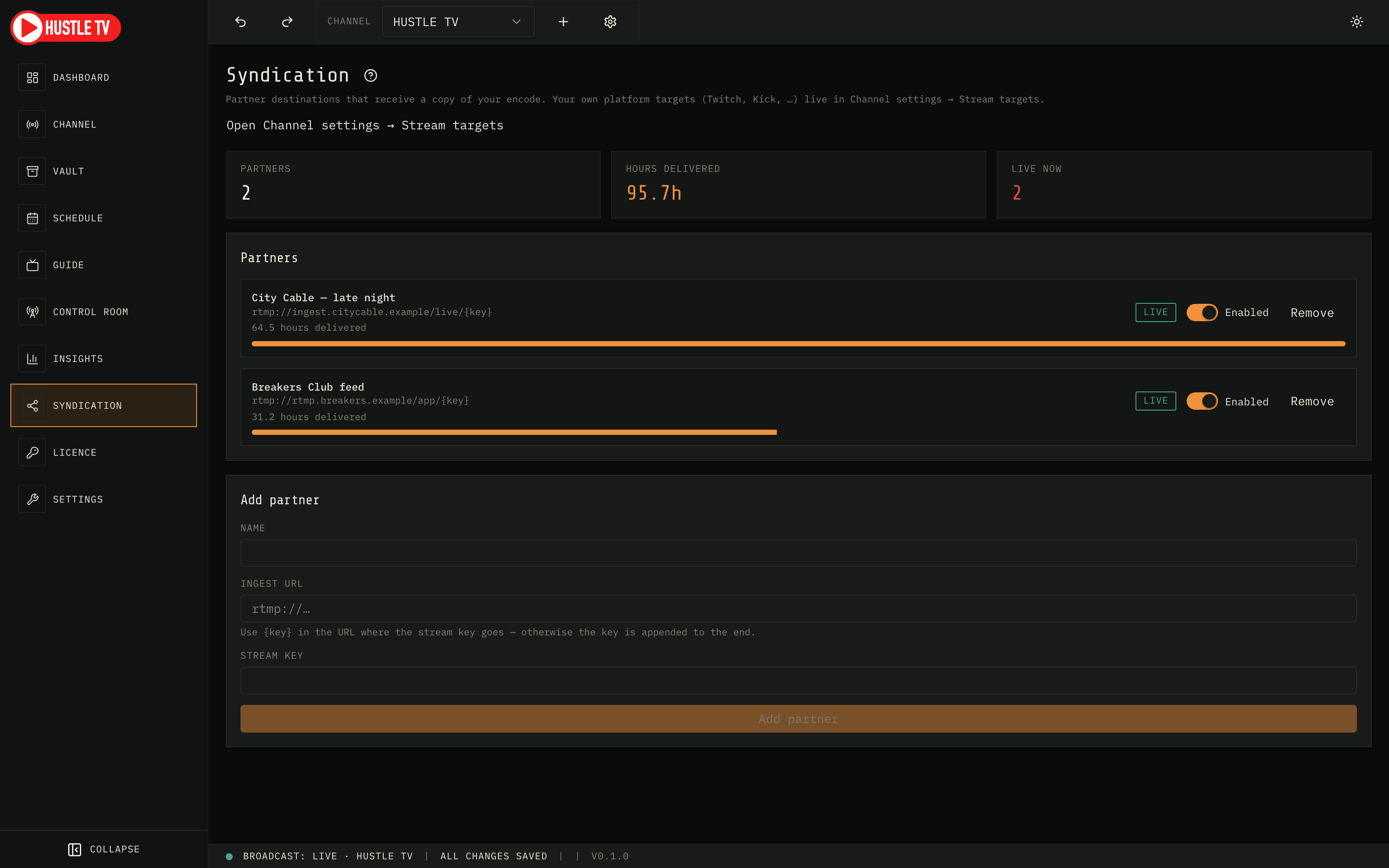
When you syndicate the channel, partners care about delivered hours — not screenshots of OBS. Syndication tracks partners live, and Insights rolls those hours into the channel story.

  • Partner list with enable / disable and live / reconnecting / off
  • Cumulative hours delivered while you stay on air
  • Same numbers surface in Insights for reporting
Hustle TV Syndication partners with hours delivered progress
Hustle TV — Syndication

The join reason

Multi-destination reach with receipts

Most tools stop at “you’re live somewhere.” Hustle TV encodes once, fans out, and keeps the delivery ledger — so syndication is a product feature, not a hope.